
Roller Conveyor Scraper Tool

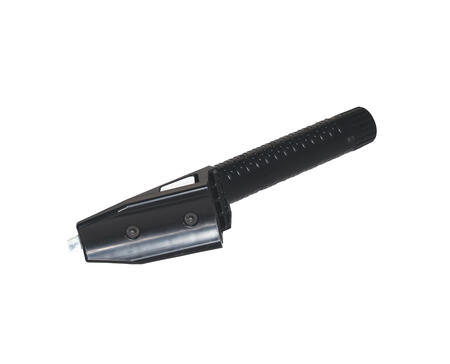

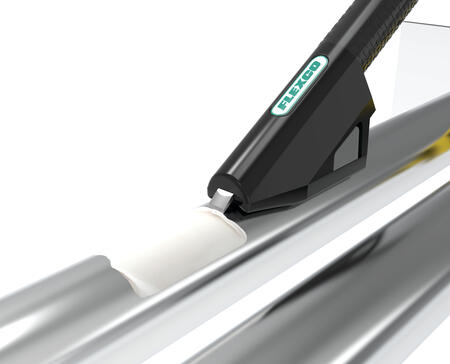
Adhesive buildup on roller conveyors starts small but escalates fast. As shipping labels and sticker residue accumulate, rollers lose speed, packages get stuck, and the ripple effect disrupts throughput across your entire operation. Traditional flat blade scrapers only contact a fraction of the roller surface, forcing maintenance teams to make multiple passes and spend more time than necessary on routine cleaning.
The Roller Conveyor Scraper Tool (RCST) takes a smarter approach. Engineered specifically for roller conveyor maintenance, it features a contoured blade that conforms to the outside curvature of the roller, removing significantly more buildup in a single pass. Replaceable blades extend tool life, and a standard thread pattern allows mounting to any paint roller extension pole for easy reach without excessive bending or climbing. Reduce maintenance time and keep packages moving with Flexco’s RCST.
Features & Benefits
- Standard thread pattern allows attachment to common broom handles for extended reach.
- Blade cover promotes safety while allowing the blade to remain in place.
- Quick and easy blade replacement minimizes downtime.
- Built in storage keeps spare blades readily available.
- Textured handle provides a secure and comfortable grip.
- Removable blade storage cap for easy access to spare blades.
- Replaceable aluminum blades clean without scratching rollers.
OPERATION
- Loosen the handle and remove the blade cover from the RCST.
- Re-tighten the handle or remove the handle and attach a broom handle for longer reach.
- Loosen the cap on the handle to remove a blade.
- Attach the blade to the RCST head by pressing the blade into the head until you hear a click.
- Place the contoured side of the RSCT on top of the roller. Press down firmly and run the blade over the stickers/buildup.
- Continue this process until the stickers/buildup is removed or can easily be removed by hand.
- After operation, store the blade in the handle or reattach the blade cover. To remove the blade, squeeze the buttons on the sides of the RCST head and pull the blade out.
- Products
- Specifications
- Instructions
- Sales Support
